
Developers often launch lightning-fast Next.js applications, wait a month, and hear absolute crickets from Google. The painful reality is that server-side rendering (SSR) and static site generation (SSG) do not automatically guarantee search visibility. React alone doesn't rank; structured, easily parsable meta tags do.
If you want your Next.js app to compete in search engines, you have to explicitly manage your <head> tags, Open Graph data, and structured JSON-LD. Historically, the community standard for this has been the garmeeh/next-seo repository, a battle-tested plug-in for managing SEO attributes. However, with the widespread adoption of the Next.js App Router, the approach to technical SEO has fractured into two distinct paths.
Here is exactly how to manage SEO in Next.js in 2026, whether you are maintaining an older Pages Router app or building a modern App Router project.
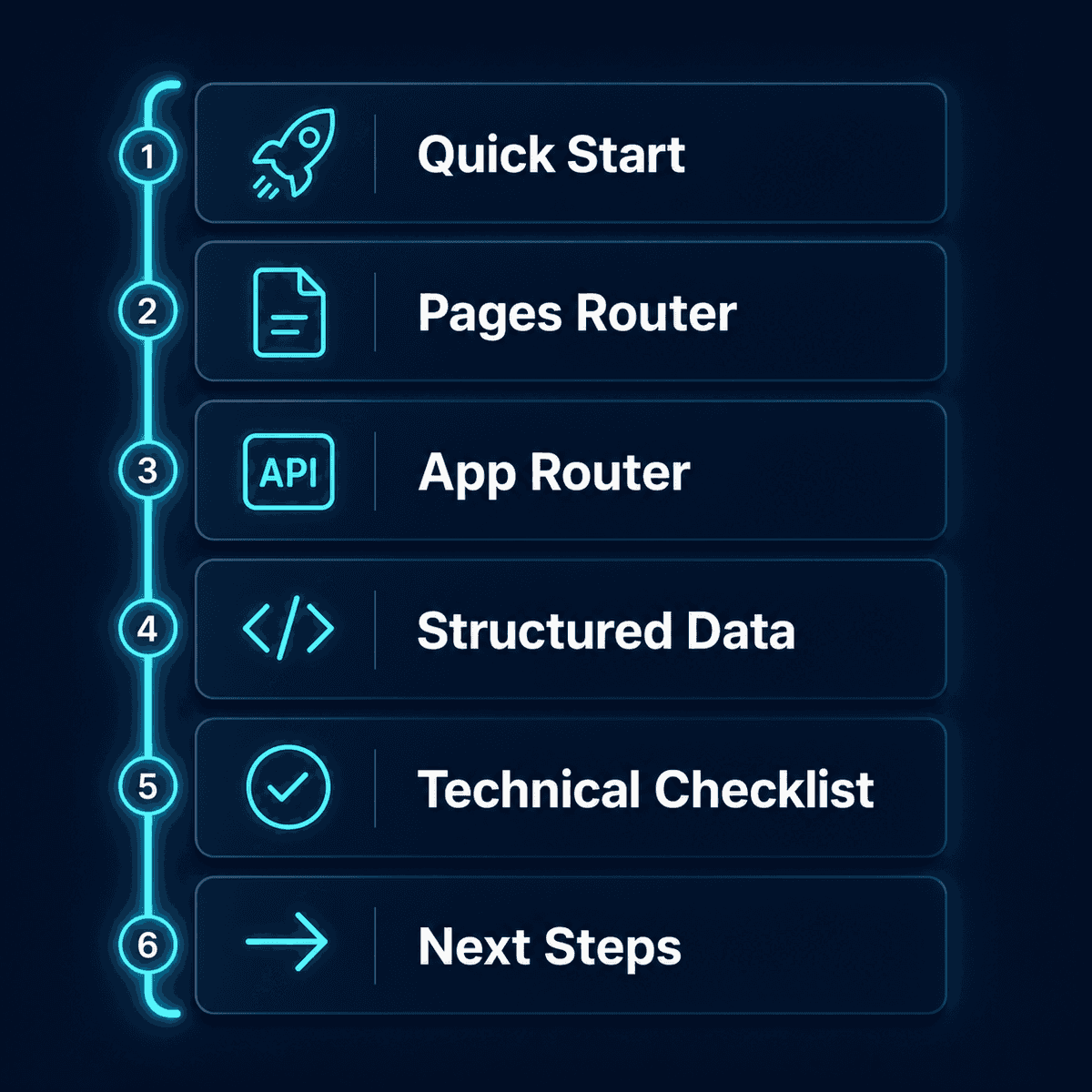
📋 Table of Contents
- 🚀 Quick Start: The Next.js SEO Landscape
- Managing SEO in the Pages Router (Using
next-seo) - Managing SEO in the App Router (Native Metadata API)
- Injecting Structured Data (JSON-LD)
- The Next.js Technical SEO Checklist
- Next Steps for Your SEO Strategy
🚀 Quick Start: The Next.js SEO Landscape
Before you dive into documentation, you need to identify your Next.js architecture. Your technical setup dictates your tooling.
The Contrarian Reality: You might not need a third-party SEO package anymore. If you are starting a fresh project using the Next.js 14+ App Router, the built-in Metadata API handles 95% of what the next-seo library used to do. Relying on an external package for new App Router projects adds unnecessary dependencies.
However, if your codebase still relies on the pages/ directory, Next.js official documentation and community experts agree that garmeeh/next-seo remains the most robust, predictable way to handle meta tags at scale.
Managing SEO in the Pages Router (Using next-seo)
For projects using the Pages Router, LogRocket's guide to managing SEO in Next.js highlights how manual <Head> tag management quickly becomes a nightmare of redundant code. The next-seo library solves this by allowing you to set a global default and override it on specific pages.
Installation
Install the package via your preferred package manager:
npm install next-seo
# or
yarn add next-seo
Basic Usage: Global DefaultSeo
To prevent empty meta tags on pages where you forget to add them, initialize a DefaultSeo component in your _app.js or _app.tsx file. This acts as your fallback configuration.
// pages/_app.js
import { DefaultSeo } from 'next-seo';
import SEO from '../next-seo.config';

export default function MyApp({ Component, pageProps }) {
  return (
    <>
      <DefaultSeo {...SEO} />
      <Component {...pageProps} />
    </>
  );
}
Your next-seo.config.js file should sit at the root of your project and look something like this:
// next-seo.config.js
export default {
  titleTemplate: '%s | My SaaS App',
  defaultTitle: 'My SaaS App - The Best Tool for X',
  description: 'Manage your workflow efficiently with our tool.',
  openGraph: {
    type: 'website',
    locale: 'en_US',
    url: 'https://www.mysaasapp.com/',
    siteName: 'My SaaS App',
  },
  twitter: {
    handle: '@mysaasapp',
    site: '@mysaasapp',
    cardType: 'summary_large_image',
  },
};
Overriding Page-Level SEO
When a user visits a specific feature page or blog post, you want the metadata to reflect that specific content. Import the NextSeo component on the individual page to override your defaults.
// pages/blog/how-to-scale.js
import { NextSeo } from 'next-seo';

export default function BlogPost() {
  return (
    <>
      <NextSeo
        title="How to Scale Your SaaS in 2026"
        description="A step-by-step guide to scaling your infrastructure."
        canonical="https://www.mysaasapp.com/blog/how-to-scale"
        openGraph={{
          url: 'https://www.mysaasapp.com/blog/how-to-scale',
          title: 'How to Scale Your SaaS in 2026',
          description: 'A step-by-step guide to scaling your infrastructure.',
          images: [
            {
              url: 'https://www.mysaasapp.com/images/scale-cover.jpg',
              width: 1200,
              height: 630,
              alt: 'Scaling SaaS Infrastructure',
            }
          ],
        }}
      />
      <article>
        <h1>How to Scale Your SaaS in 2026</h1>
        {/* Content goes here */}
      </article>
    </>
  );
}
Managing SEO in the App Router (Native Metadata API)
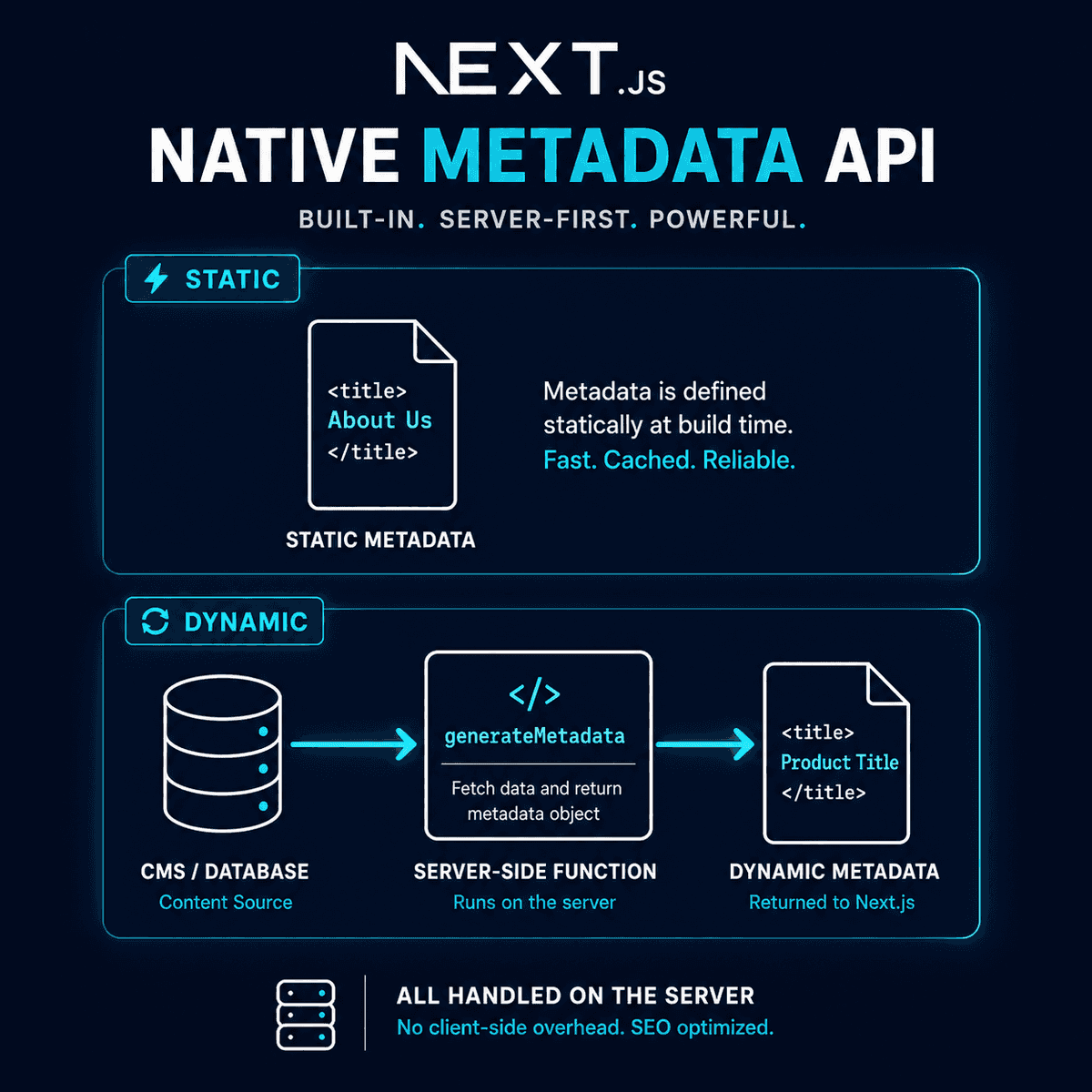
The App Router (app/ directory) shifted Next.js from client-side component wrappers to server-centric architecture. You can no longer inject a <NextSeo> component inside a layout or page without turning it into a Client Component (which degrades SEO).
Instead, use Next.js's native Metadata API, a transition detailed in Prismic's Next.js SEO Guide.
Static Metadata
For static pages, export a metadata object directly from your page.tsx or layout.tsx file.
// app/about/page.tsx
import { Metadata } from 'next';

export const metadata: Metadata = {
  title: 'About Us | My SaaS App',
  description: 'Learn more about our team and mission.',
};

export default function AboutPage() {
  return <h1>About Us</h1>;
}
Dynamic Metadata
Imagine a SaaS founder launches a dynamic blog but forgets to update the <title> tag based on the database slug. Google ends up indexing "My App - Blog Post" for every single article.
To fix this in the App Router, use the generateMetadata function. This allows you to fetch data (like a blog post title from your CMS) before rendering the <head>.
// app/blog/[slug]/page.tsx
import { Metadata } from 'next';

// Fetch data to generate dynamic metadata
export async function generateMetadata({ params }): Promise<Metadata> {
  const post = await fetchPostData(params.slug);

  return {
    title: post.title,
    description: post.summary,
    openGraph: {
      images: [post.coverImage],
    },
  };
}

export default function BlogPost({ params }) {
  // Page rendering logic
}
JSON-LD Configuration: The Secret Weapon for Rich Snippets
Search engines use JSON-LD (JavaScript Object Notation for Linked Data) to understand the context of your page. This is what generates rich snippets—like review stars, recipe times, or FAQ accordions—directly in the search results.
Manually typing JSON-LD scripts and injecting them via dangerouslySetInnerHTML is prone to syntax errors and security vulnerabilities.
The next-seo library provides pre-built components for this. Two of the most critical for Single-Page Application SEO: What Works in 2026? are ArticleJsonLd and LocalBusinessJsonLd.
ArticleJsonLd
If you publish blog posts, ArticleJsonLd is mandatory. It tells Google exactly who wrote the article, when it was published, and what image represents it.
import { ArticleJsonLd } from 'next-seo';

<ArticleJsonLd
  url="https://www.mysaasapp.com/blog/next-seo-guide"
  title="Next SEO: Rank Your Next.js App"
  images={[
    'https://www.mysaasapp.com/images/next-seo.jpg',
  ]}
  datePublished="2026-04-29T08:00:00+08:00"
  dateModified="2026-04-29T09:00:00+08:00"
  authorName="Jane Doe"
  publisherName="My SaaS App"
  publisherLogo="https://www.mysaasapp.com/images/logo.png"
  description="A comprehensive technical guide to ranking Next.js applications."
/>
If you are on the App Router, Next.js handles JSON-LD differently. You inject it securely as a structured data object within your page component:
// App Router JSON-LD injection
<script
  type="application/ld+json"
  dangerouslySetInnerHTML={{ __html: JSON.stringify(jsonLd) }}
/>
Note: While dangerouslySetInnerHTML sounds intimidating, it is the standard React method for injecting JSON-LD. Just ensure your data inputs are sanitized if they are generated by users.
The Technical SEO Checklist for Next.js
A beautifully configured NextSeo component won't save you if search engines can't crawl your site. As noted in the popular Reddit Next.js SEO complete checklist, there are a few infrastructure items you must clear.
Review this SEO for Single Page Applications: The Technical Checklist to ensure your foundation is solid:
- Generate a Dynamic Sitemap (
sitemap.xml): Hardcoded sitemaps fail the moment you start publishing regularly. Use Next.js'ssitemap.tsfile in the App Router, ornext-sitemapin the Pages Router, to automatically index new slugs. - Configure
robots.txt: Ensure you aren't accidentally blocking Googlebot from your_next/staticfiles, which it needs to render your page properly. - Strict Canonical URLs: Single-page applications are notorious for generating duplicate content via query parameters (e.g.,
?sort=price). Explicitly define the canonical URL in yourNextSeoconfig or Metadata API. - Server-Side Rendering for Core Pages: Use
getServerSidePropsor React Server Components for marketing pages and blogs. If you fetch content client-side inside auseEffecthook, implementing SEO in Single Page Applications becomes much more difficult because Googlebot must execute your JavaScript before seeing the content.
Next Steps for Your Next.js SEO Strategy
Technical SEO is a prerequisite, not a strategy. You can spend weeks perfectly configuring your JSON-LD, optimizing your Core Web Vitals, and watching NextJS SEO crash courses on YouTube, but code doesn't rank without content.
Once your Next.js foundation is optimized, the next bottleneck is production. Search engines reward domain authority, semantic relevance, and consistent publishing.
If your technical stack is ready but your marketing bandwidth is empty, consider automating your content pipeline. BeVisible transforms Next.js websites into daily sources of ranked answers. It connects directly to your site URL, conducts competitor SERP research to build a 30-day content map, and automatically writes, polishes, and publishes answer-first articles every 24 hours. Because it integrates with CMS platforms like Webflow, WordPress, and Ghost via API, your newly configured Next.js meta tags, schema markup, and internal links are automatically populated without manual data entry.
Stop tweaking code when the framework is already sound. Validate your SEO for Single Page Applications, deploy your changes, and shift your focus entirely to producing high-quality, targeted content that brings users through the door.